

Add a service
Who can do this: Business owners and admins Where to find it: Settings › Services ( /business/settings/services ) Add a service with its…
Who can do this: Business owners and admins
Where to find it: Settings › Services (/business/settings/services)
Add a service with its name, price, duration and description so it can be booked.
Before you start
- Create the category the service belongs to.
Steps
- Go to Settings › Services and select Add Service under a category in the sidebar. The New service panel opens.
- Enter the Service Name. This field is required.
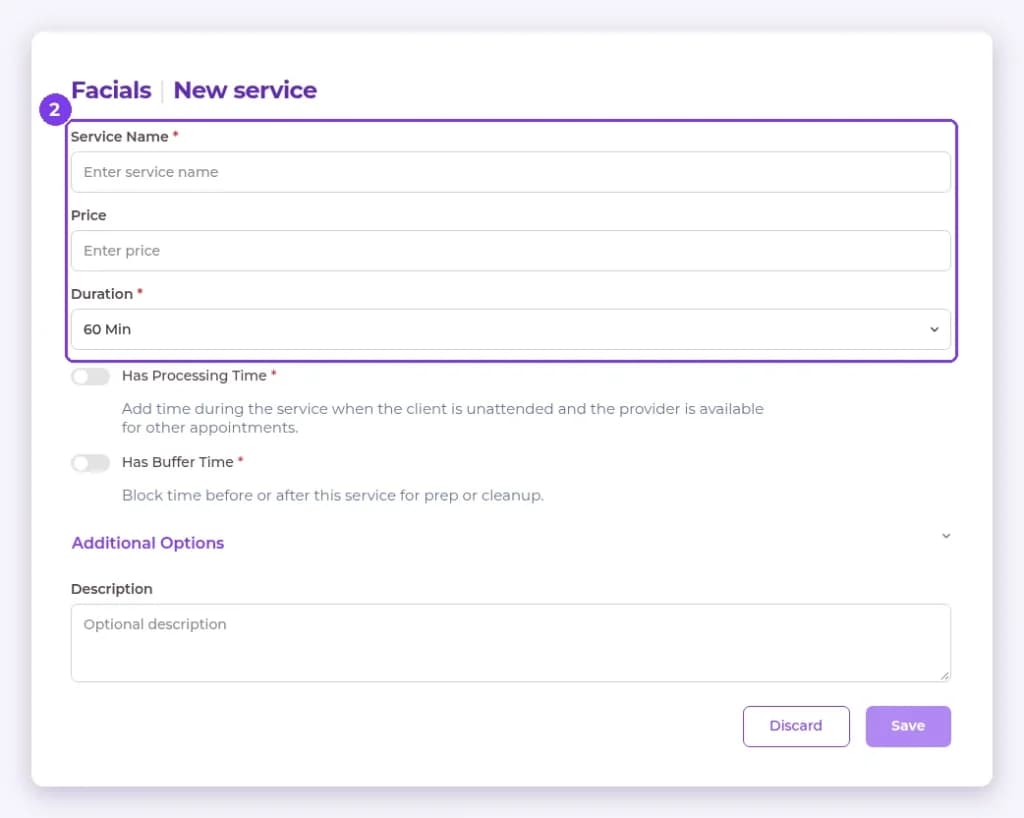
- Enter the Price.
- Set the Duration. It defaults to 60 Min.
- Add a Description and any Additional Options.
- Select Save.
Result
The service appears under its category in the detail pane.
Tip: Add processing or buffer time if the service needs extra time before or after. See the related article.
FAQ
Can clients have their own service durations?
Yes. Custom service durations can be set on a client’s profile.
Related articles
Still have questions?
Our team is happy to help. Reach out and we'll get you sorted, or keep exploring the Learning Center.