

Import or export services
Who can do this: Business owners and admins Where to find it: Settings › Data import & export ( /business/settings/data ) Add many services…
Who can do this: Business owners and admins
Where to find it: Settings › Data import & export (/business/settings/data)
Add many services at once, or download your service list.
Steps
- Go to Settings › Data import & export.
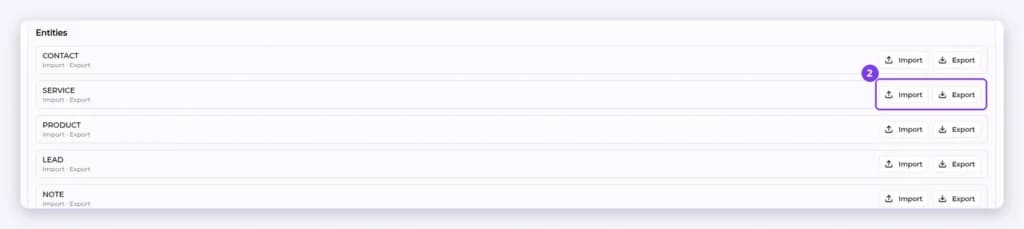
- On the SERVICE row, select Import to upload a file, or Export to download your services.
- Check Recent imports at the bottom of the page for the import status.
Result
Imported services appear in Settings › Services, or your export file is downloaded.
Tip: Export your services first to see the expected file layout.
Related articles
Still have questions?
Our team is happy to help. Reach out and we'll get you sorted, or keep exploring the Learning Center.