

Add a contact
Who can do this: Staff with contacts access Where to find it: Contacts ( /business/contacts ) Add a new client with their contact details.…
Who can do this: Staff with contacts access
Where to find it: Contacts (/business/contacts)
Add a new client with their contact details.
Steps
- Go to Contacts and select New Contact. The Client Details panel opens.
- Enter the First Name and Last Name (required), plus Email and Phone Number. Select Add Note to add a note. You can also fill in Social media, Additional details, Address, Messaging preferences and Online booking.
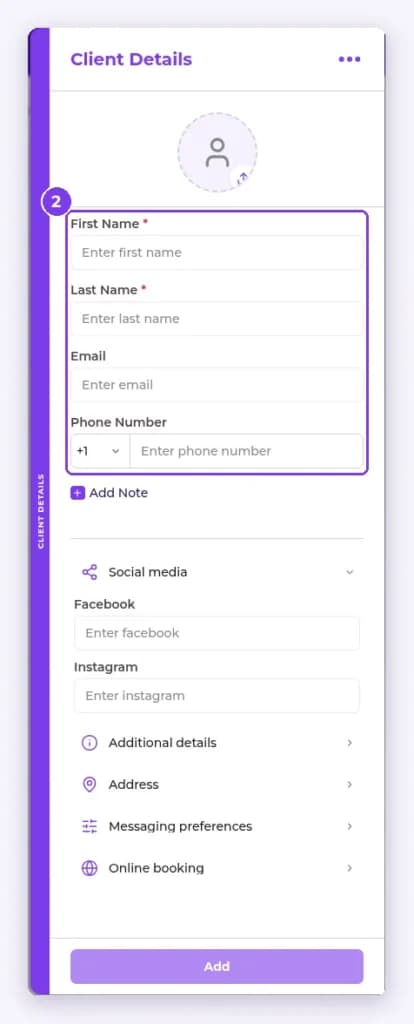
- Select Add.
Result
The contact appears in the contacts list.
Tip: You can also add a client inline while booking an appointment.
Related articles
Still have questions?
Our team is happy to help. Reach out and we'll get you sorted, or keep exploring the Learning Center.