

Find and filter contacts
Who can do this: Staff with contacts access Where to find it: Contacts ( /business/contacts ) Search, sort and filter your contacts list.…
Who can do this: Staff with contacts access
Where to find it: Contacts (/business/contacts)
Search, sort and filter your contacts list.
Steps
- Use Search contacts… to find a contact.
- Sort by Name, Email, Phone, Tags or Date Created.
- Select the filter icon to the right of the search box. In the Options panel, choose filters such as Client Profile Created, Had First Appointment, Had Appointment With, Last Appointment, Future Appointment, Had Service, Had Service In Category, Gender, Referred By or Tag.
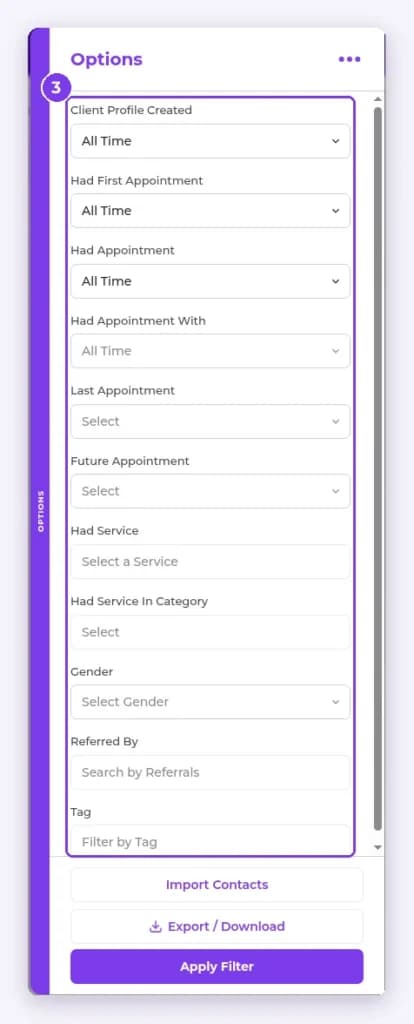
- Select Apply Filter.
Result
The list shows only the contacts you need.
Related articles
Still have questions?
Our team is happy to help. Reach out and we'll get you sorted, or keep exploring the Learning Center.