

Manage notifications
Who can do this: Business owners and admins Where to find it: Settings › Notifications ( /business/settings/notifications ) Choose which…
Who can do this: Business owners and admins
Where to find it: Settings › Notifications (/business/settings/notifications)
Choose which email and SMS messages are sent.
Steps
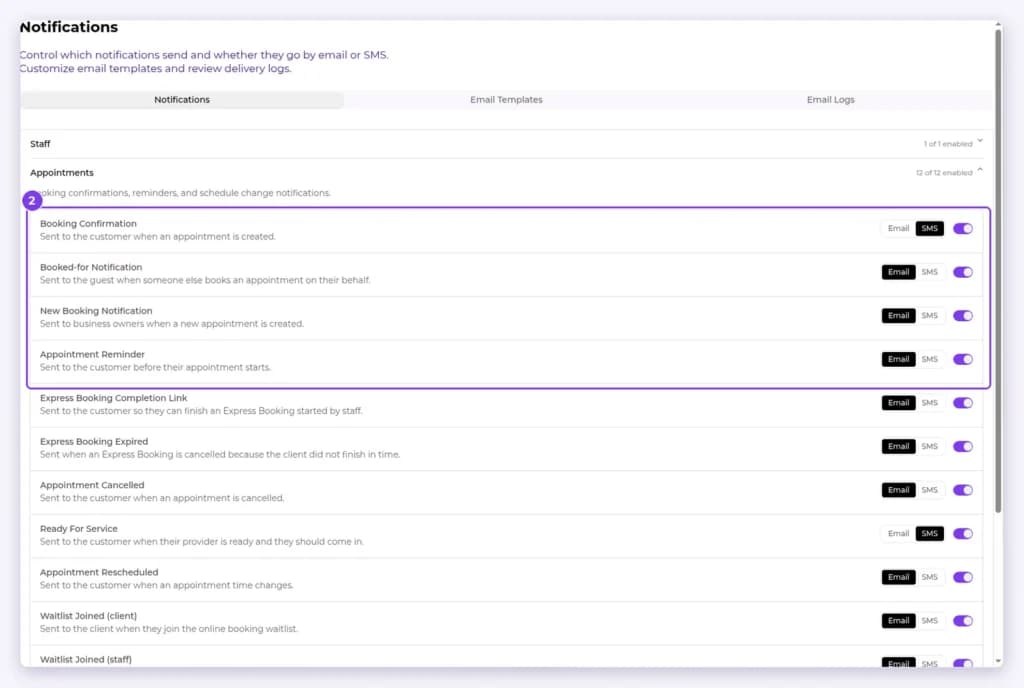
- Go to Settings › Notifications. The page has three tabs: Notifications, Email Templates and Email Logs.
- On the Notifications tab, expand a group: Staff, Appointments, Invoices & payments, Gift cards, Packages or Account. For each notification, choose Email or SMS and use the switch to turn it on or off.
Result
Only the messages you turned on are sent.
Related articles
Still have questions?
Our team is happy to help. Reach out and we'll get you sorted, or keep exploring the Learning Center.