

Manage your plan and billing
Who can do this: Business owners Where to find it: Settings › Plan & Billing ( /business/settings/billing ) See your plan and manage your…
Who can do this: Business owners
Where to find it: Settings › Plan & Billing (/business/settings/billing)
See your plan and manage your PandaCue subscription.
Steps
- Go to Settings › Plan & Billing. Current tier shows your tier, billing source, subscription status and access status.
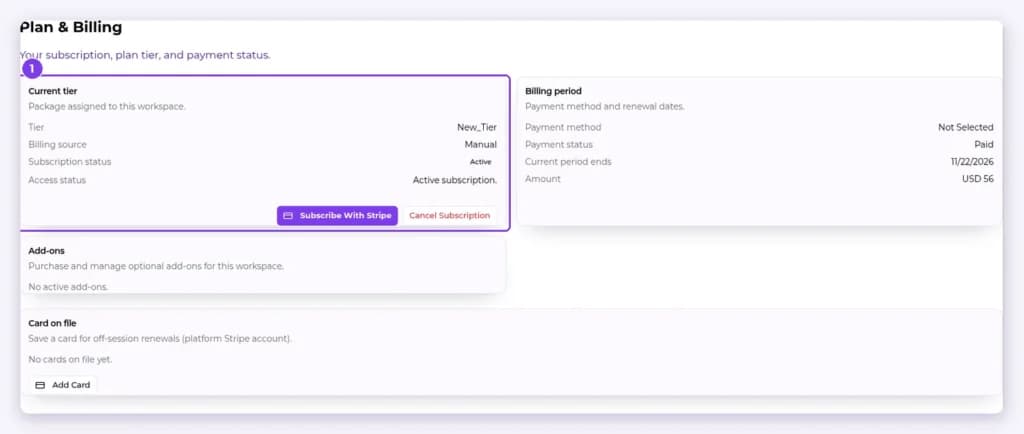
- Check Billing period for your payment method, payment status, current period end and amount.
- Select Subscribe With Stripe to subscribe, or Cancel Subscription to cancel.
- Under Card on file, select Add Card to save a card for renewals.
Result
Your subscription is updated.
Warning: Check what happens to your data before you cancel.
Related articles
Still have questions?
Our team is happy to help. Reach out and we'll get you sorted, or keep exploring the Learning Center.