

Set the status for new bookings
Who can do this: Business owners and admins Where to find it: Settings › Automated Messages › Appointment Booked (…
Who can do this: Business owners and admins
Where to find it: Settings › Automated Messages › Appointment Booked (/business/settings/appointment-booked)
Choose whether new bookings start as Unconfirmed or Confirmed.
Steps
- Go to Settings › Automated Messages › Appointment Booked.
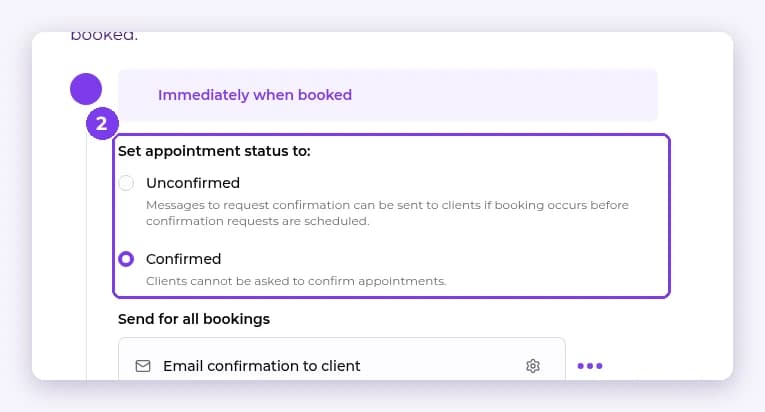
- Under Set appointment status to:, choose Unconfirmed (messages to request confirmation can be sent) or Confirmed (clients cannot be asked to confirm). Choose whether to Send for all bookings and Email confirmation to client, then save.
Result
New bookings start with the status you chose.
Related articles
Still have questions?
Our team is happy to help. Reach out and we'll get you sorted, or keep exploring the Learning Center.