

Online booking preferences
Who can do this: Business owners and admins Where to find it: Settings › Online Booking › Preferences (…
Who can do this: Business owners and admins
Where to find it: Settings › Online Booking › Preferences (/business/settings/online-booking/preferences)
Control when and how clients can book online.
Before you start
- Online booking is turned on.
Steps
- Go to Settings › Online Booking › Preferences.
- Select the edit (pencil) icon on a section. Set the booking window (Maximum Advance Booking and Minimum Prior Time Required), and turn on options such as Avoid gaps between appointments, Allow Multiple Services, Allow Booking The Same Service Multiple Times, Only Allow Single Staff Member, Collect photos during booking and Allow Clients To Join Waitlist. Then save.
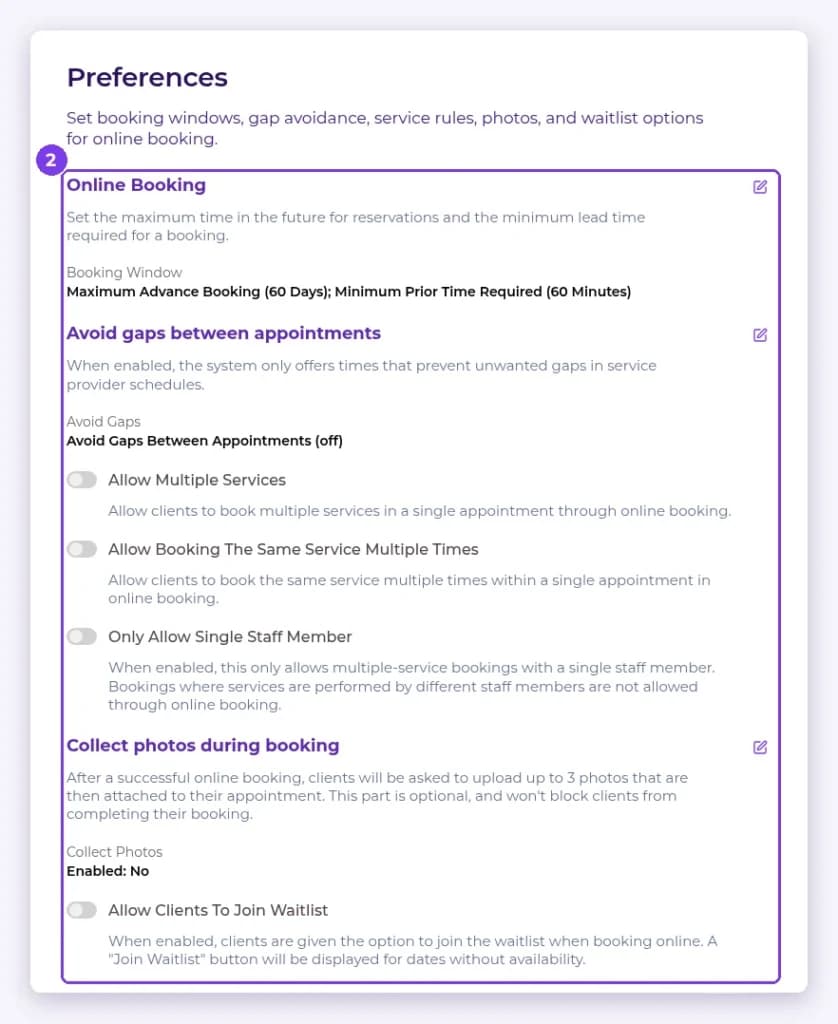
Result
Online booking follows your rules.
Related articles
Still have questions?
Our team is happy to help. Reach out and we'll get you sorted, or keep exploring the Learning Center.