


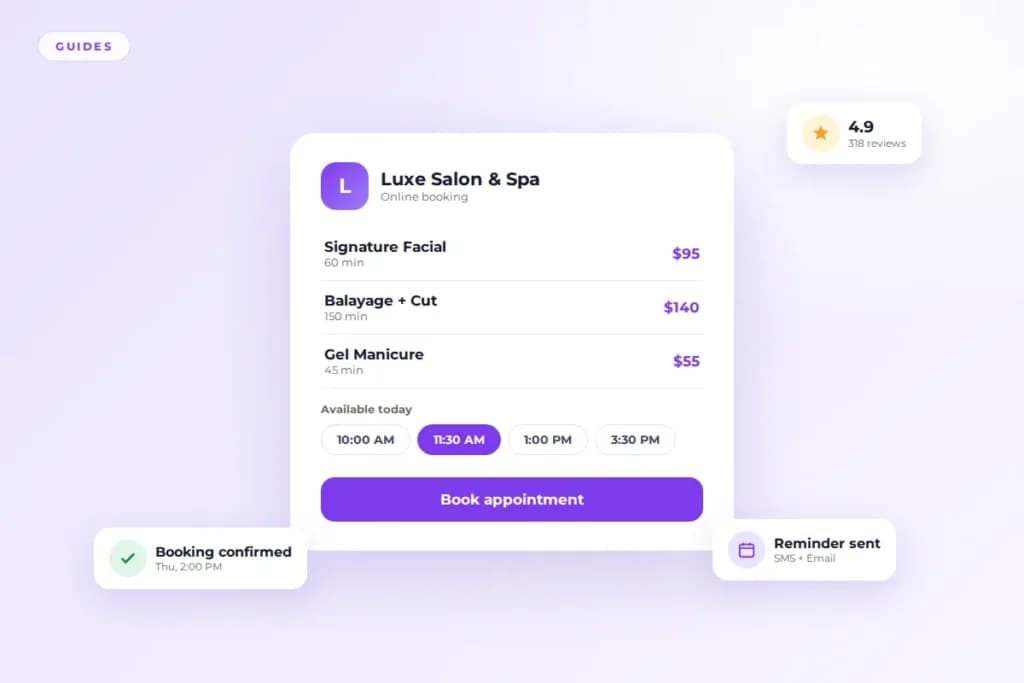
Salon management software is a single platform that runs the daily operations of a salon, spa, barbershop, or med spa.
It handles online booking, calendars, payments, client records, marketing messages, and reporting in one place. No more spreading those jobs across five or six disconnected tools.
I have spent years around salon operations, and the pattern is always the same. The businesses that run smoothly are not the ones with the most staff. They are the ones where nothing falls through the cracks.
This guide explains what the software does, who needs it, what it costs, and how to pick the right one.
What salon management software actually does
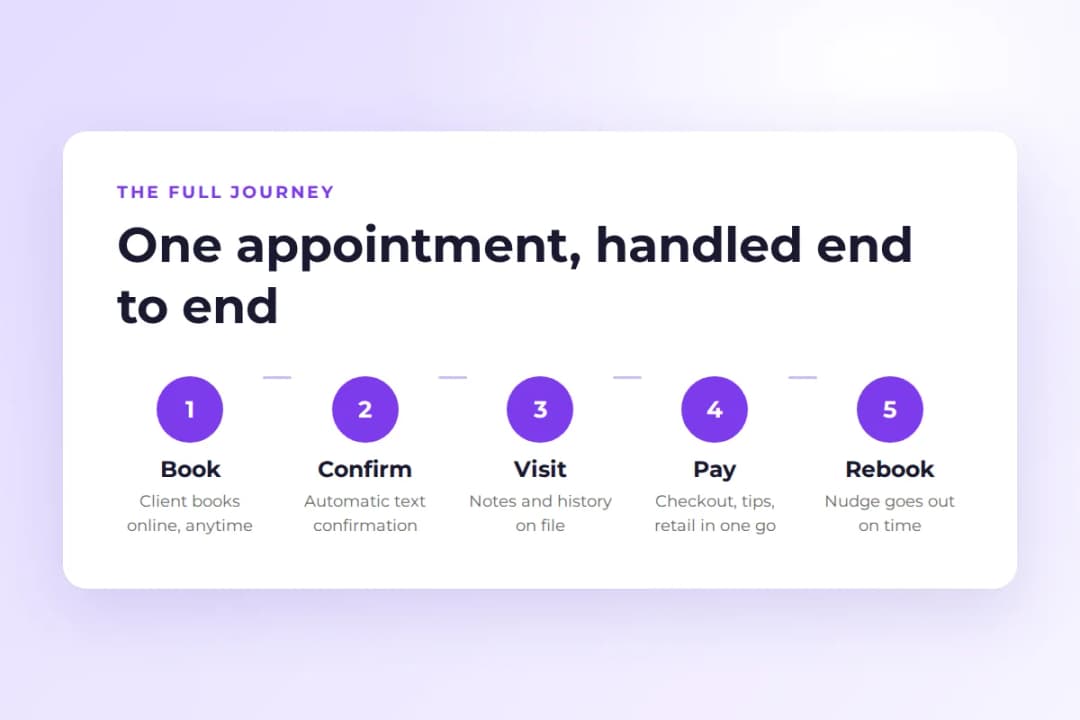
Think of everything that happens around a single appointment.
A client finds you, picks a service, chooses a time, gets a confirmation, shows up, pays, maybe buys a product, and then rebooks. Salon management software owns that entire chain.
Before these platforms, each step lived somewhere different. Booking happened over the phone or in a paper book. Payments went through a separate terminal. Client notes lived in the stylist’s head. Reminders were manual texts sent the night before.
I have seen front desks start every morning with an hour of confirmation calls. That is a staffing cost hiding inside a task software does for free. The moment those calls become automatic texts, that hour goes back to greeting clients who actually walk in.
The software pulls everything into one system with one client record. When Maya books a balayage for Thursday, the calendar holds the slot. She gets a confirmation text.
Her formula from last time is on file. Payment runs through the same system at checkout. A rebooking nudge goes out six weeks later without anyone remembering to send it.
That is the whole idea: fewer tools, fewer dropped balls.
The core features, explained
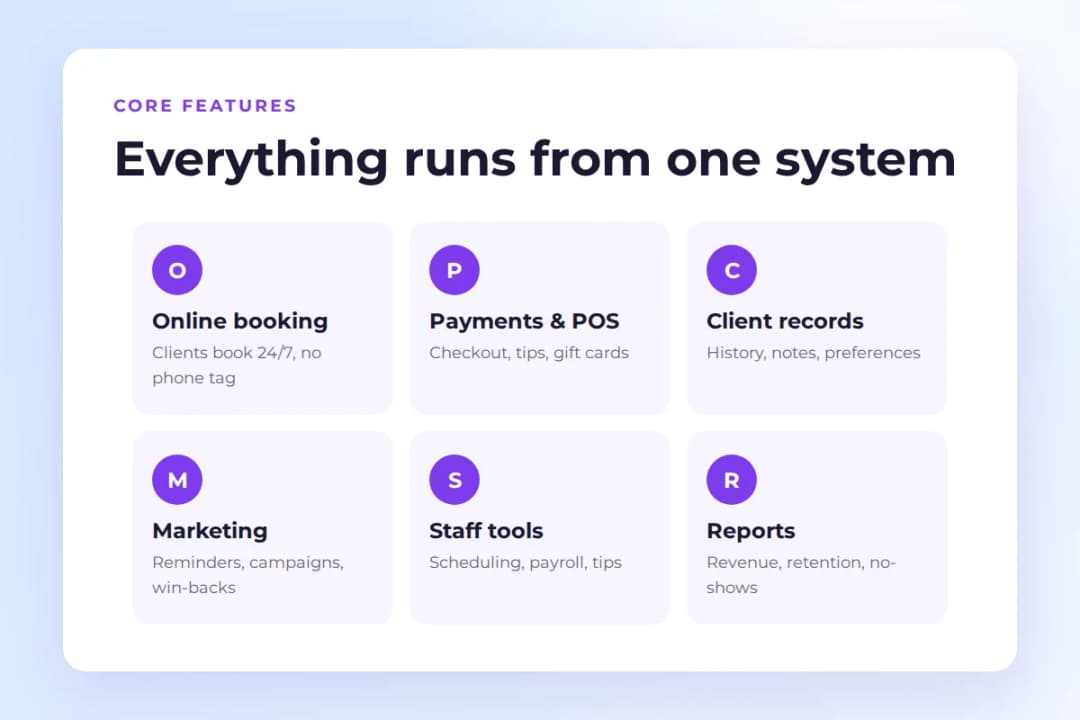
Every platform packages these differently. But the category has settled on a standard set of jobs. Here is what each one means in practice.
Online booking and scheduling
Clients book from your website or a booking link, any time of day, without calling. The calendar updates in real time so two people can never grab the same slot.
Good scheduling also handles the messy parts. Double-booking rules, buffer time between appointments, staff-specific calendars, resources like rooms or chairs.
This is usually the first feature a salon adopts and the last one it would give up. A booking page that works at 11 PM captures clients you would otherwise lose to whoever answers first in the morning.
In my experience, the salons that resist online booking always give the same reason: “my clients prefer to call.” Then they turn it on, and within a month half their bookings come in after hours. Clients prefer whatever is easiest at the moment they decide.
PandaCue’s online booking and calendar and scheduling are built around this exact job.
Point of sale and payments
Checkout has to handle more than a card swipe. A salon POS splits tips, sells retail products, redeems gift cards, processes membership billing, and tracks who sold what for commission.
The platforms that do this well keep the money and the appointment in the same record. Your end-of-day numbers reconcile without spreadsheet archaeology.
I have watched owners spend Sunday evenings matching card terminal reports against appointment books. When the payment lives inside the same system as the booking, that Sunday ritual just disappears.
Card processing rates vary by provider and transaction type. Price this carefully when you compare options. PandaCue covers this under payments and POS.
Client management
A client record is the memory of your business. It holds contact details, visit history, formulas and notes, preferences, purchase history, and communication logs.
When any stylist can open a returning client’s profile and see exactly what happened last time, the client feels known. Even if their usual person is off that day.
This matters more than most owners expect. The salons that keep clients for years tend to be the ones where the details survive staff turnover.
I have seen what happens when a top stylist leaves and takes all the client knowledge in her head with her. The salon spends months rebuilding trust one appointment at a time. A shared client record prevents that loss before it happens. See client management for how PandaCue structures this.
Marketing and client communication
This covers the messages that fill chairs. Appointment confirmations, reminders, review requests, rebooking nudges, promotions, and win-back campaigns for clients who went quiet.
The best systems automate the routine ones. Nobody should hand-type reminders in 2026. And they make the promotional ones easy to target.
Two-way messaging matters here too. When a client can reply to a reminder text to reschedule instead of no-showing, you save the appointment and the relationship.
The win-back campaign is the most underused tool I see. Every salon has a list of clients who used to come regularly and just stopped.
A simple “we miss you” message with an easy booking link brings a surprising number of them back. PandaCue handles this through campaigns and automated flows.
Staff management
Scheduling staff, tracking commissions, managing payroll, and setting permissions all live here.
Multi-location businesses need this most urgently. Staff float between locations and the math gets complicated fast. Even a single-location salon benefits when tips, retail commission, and service revenue roll into payroll without manual entry.
Commission disputes are one of the most common sources of staff tension I have seen. When the numbers come from one system that everyone can see, the arguments stop.
PandaCue’s staff management and payroll processing cover this side.
Inventory and retail
If you sell products, you need to know what is on the shelf, what is running low, and which stylist sold what.
Basic inventory tracking prevents the awkward moment of recommending a product you do not have. It also shows which retail lines actually earn their shelf space.
Reporting and analytics
Reports turn the daily blur into decisions. The useful ones: revenue by service and by staff member, rebooking rate, client retention, no-show rate, and retail performance.
You do not need fifty reports. You need five you actually open.
The rebooking rate is the number I tell every owner to watch first. It tells you whether clients are coming back, which is the closest thing this business has to a health score.
A good starting point is our guide to salon reporting metrics worth tracking, and PandaCue’s reporting covers the standard set.
Who needs salon management software
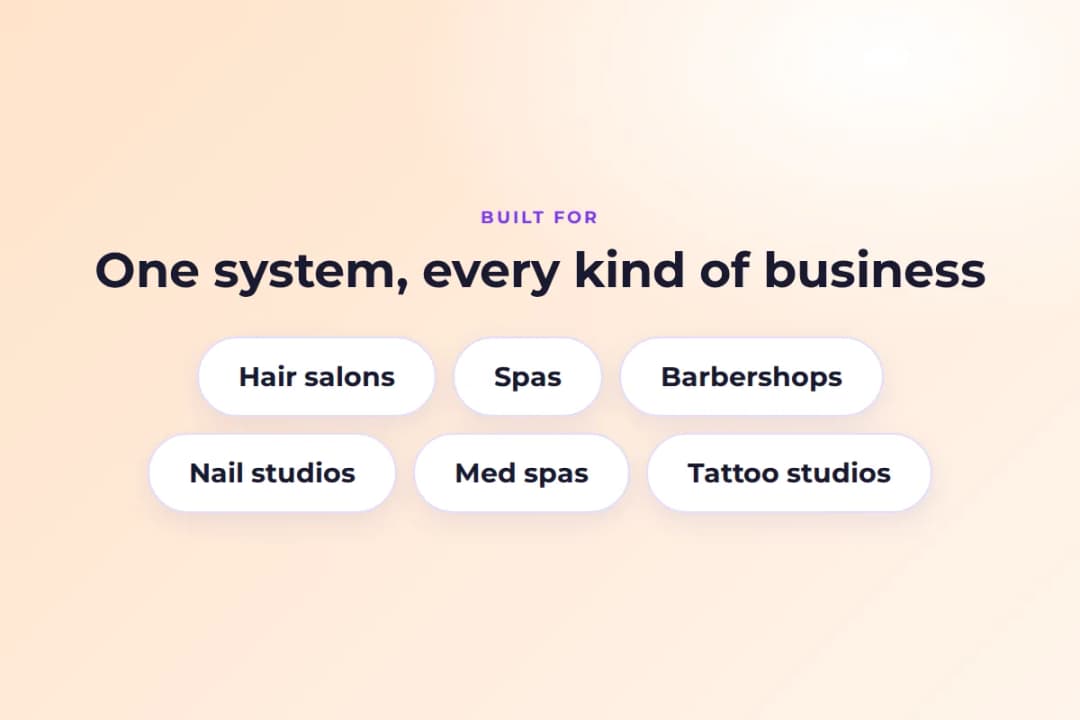
Any appointment-based beauty or wellness business with more clients than one person can hold in their head. That covers a lot of ground.
Hair salons use it for chair scheduling, formula tracking, and rebooking. Spas need room management and longer appointment blocks. Barbershops run on speed, walk-ins, and chair-renter splits.
Nail studios juggle back-to-back short appointments all day. Med spas add consultations, packages, and compliance-sensitive records. Tattoo studios track deposits and long sessions.
I have worked with owners in each of these verticals. The details differ, but the core jobs are identical: fill the book, remember the client, get paid, bring them back.
PandaCue has dedicated setups for hair salons, spas, and barbershops.
Also covered: nail salons and med spas, among others.
Solo operators sometimes wonder if this is overkill for a one-person business. It usually is not.
A solo stylist still needs online booking, because clients book at midnight. Still needs reminders, because no-shows hurt more when there is no one else earning. And still needs a client record that survives a phone upgrade. The question is plan size, not whether to use software at all.
Salon management software vs booking software
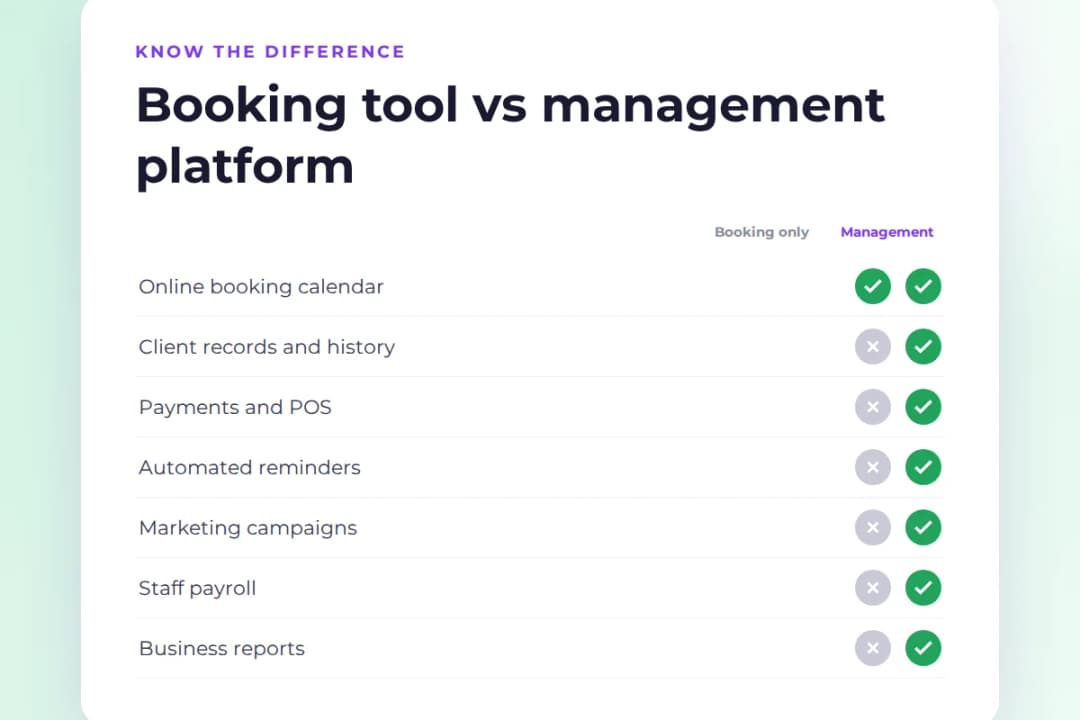
These get confused constantly. Here is the clean distinction.
Booking software does one job: it puts appointments on a calendar. Salon management software does that plus everything around it. Payments, client records, marketing, payroll, inventory, reporting.
If all you need is a calendar with online booking, a booking tool is cheaper and simpler. The moment you want the payment, the client note, and the reminder to live in the same place, you have outgrown booking software.
Most growing salons hit that point somewhere between hiring their third staff member and opening their second location. I have seen it happen over and over: the booking tool was perfect at two chairs, then the owner hires a third stylist and suddenly needs commission tracking, and the whole stack starts creaking.
There is also a pricing angle worth knowing. Some booking tools look cheap until you add the payment processor, the email tool, the review tool, and the payroll add-on. A management platform bundles those. Add up the full stack before you decide.
Signs you have outgrown your current setup
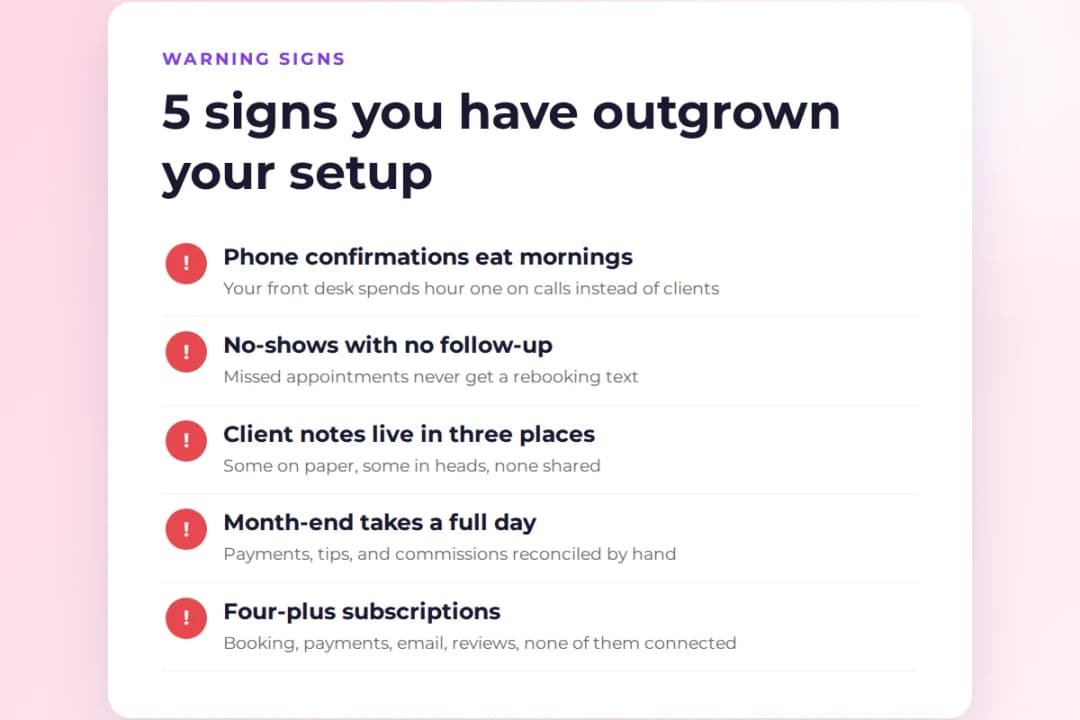
Most salons do not switch software on a schedule. They switch when the pain gets loud enough. Here are the signs that usually come first.
Your front desk spends the first hour of every day on the phone confirming appointments. That is a staffing cost hiding inside a task software does for free.
No-shows keep happening and nobody follows up. A missed appointment is lost revenue. A missed appointment with no follow-up text is lost revenue twice. The client who would have rebooked if someone had reached out simply books somewhere else next time.
Client notes live in three places. Some are in the booking tool, some are on paper cards, and the important ones are in your best stylist’s memory. When that stylist takes a vacation, the knowledge leaves with them.
End of month takes a full day. If reconciling payments, tips, retail sales, and commissions eats a day every month, your tools are not talking to each other.
You are paying for four or more subscriptions. Booking tool, card terminal, email marketing, review requests, payroll spreadsheet. Each one is cheap on its own. Together they cost more than a single platform.
If two or more of these sound familiar, you are not shopping for software early. You are shopping late.
What salon management software costs in 2026
Pricing falls into a few common patterns.
Per-location flat pricing is the simplest: one monthly fee covers the business. Per-staff pricing scales with team size, which helps solo operators but penalizes growth. Tiered plans gate features by price, so the cheap plan may lack the marketing tools you actually want.
Entry-level plans across the industry generally start around $25 to $35 per month for a single user or location. Mid-tier plans with marketing automation and multi-staff support land roughly between $80 and $130. Enterprise and multi-location setups go higher and are usually quoted.
Watch for the costs beyond the subscription. Payment processing fees apply to every card transaction no matter which platform you pick.
Some platforms charge per additional staff member, per marketing text above a quota, or take a commission on clients acquired through their marketplace. The honest way to compare is total monthly cost at your actual size, not the headline number.
I always tell owners to ask for the all-in number during the demo. If the salesperson hesitates, that tells you everything.
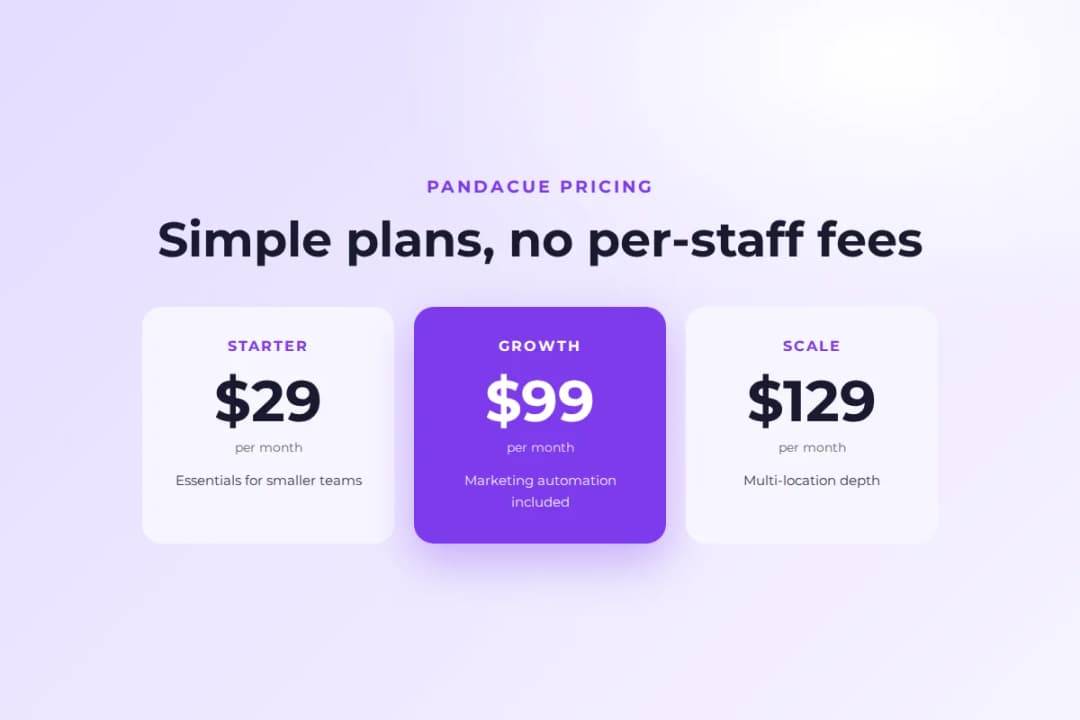
PandaCue keeps it simple with three plans at $29, $99, and $129 per month. No per-staff fees, no marketplace commission on your bookings.
How to choose the right platform
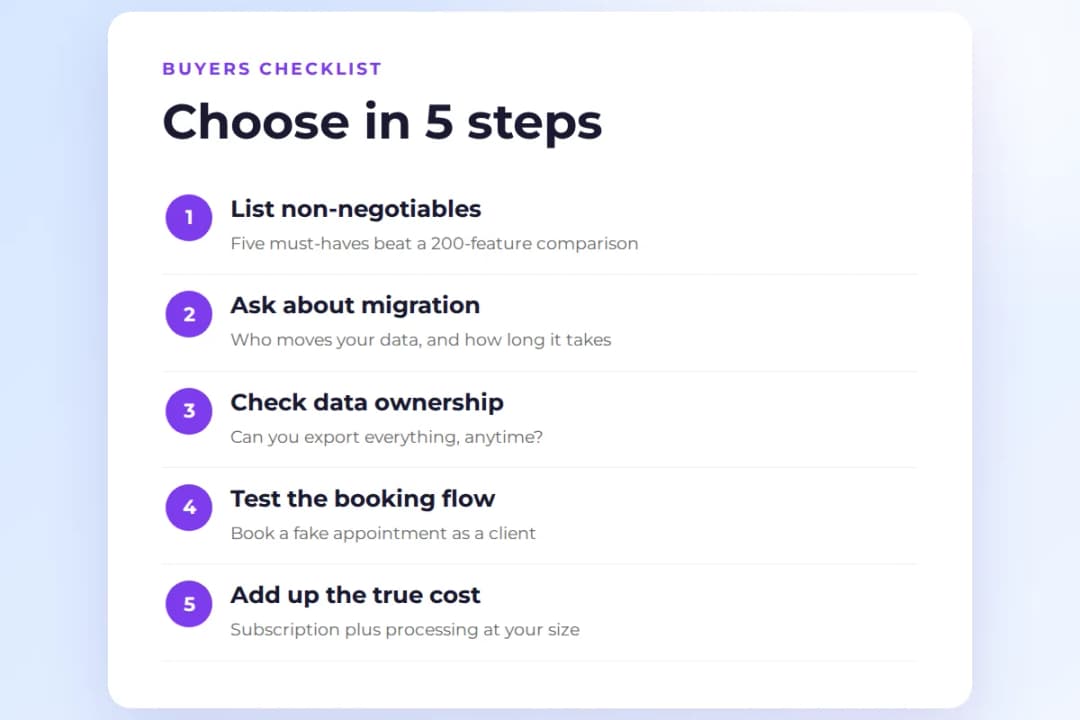
Start with your non-negotiables. Write down the five things your business cannot operate without.
Then check each platform against that list instead of comparing feature counts. A platform with 200 features you will never open loses to one with 40 you use daily.
Migration support deserves a line of its own. Switching platforms is where most buyers get stuck, not on features. Ask how your client list, appointment history, memberships, and gift card balances move over. Ask who does the work and how long it takes.
A vendor with a clear migration process is telling you they have done this before. A vendor who hands you a CSV template and wishes you luck is telling you something else.
Data ownership is the question people forget to ask. Can you export your full client list at any time? What happens to your data if you cancel? The answers should be boring and obvious. If they are not, that tells you something.
Finally, try the booking flow as a client. Book a fake appointment on each contender’s demo. The platform your clients find easiest is the one that will actually get used.
I have seen owners pick the platform with the longest feature list, then watch their clients abandon the booking page halfway through. Ease of booking beats everything on the list.
If you are currently on another platform, our PandaCue vs Vagaro comparison walks through how the two differ on the points above.
Where PandaCue fits
PandaCue is built for salons, spas, barbershops, and med spas that want bookings, payments, client records, marketing, and reporting in one system.
The emphasis is on retention: automated reminders, rebooking flows, win-back campaigns, and a shared client memory that keeps regulars feeling like regulars.
It is a fit if you want one platform instead of a stack. If rebooking and repeat visits drive your revenue. And if you would rather your clients book directly with you than through a marketplace full of competitors.
It is less of a fit if you only need a simple calendar, or if your business is not appointment-based at all.
You can explore PandaCue or start with the plan that matches your size. The $29 plan covers the essentials for smaller teams. The $99 and $129 plans add the marketing automation and multi-location depth that growing businesses need.
Frequently asked questions
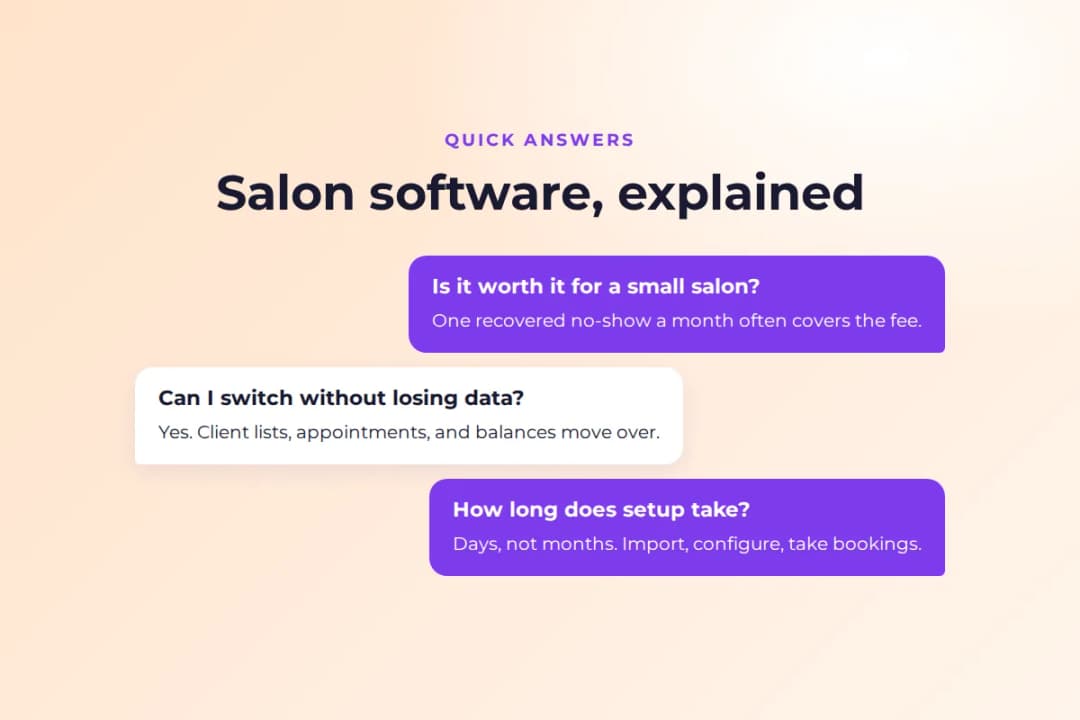
Is salon management software worth it for a small salon
For most small salons, yes. The cost of the problems it prevents is higher than the subscription.
One recovered no-show a month often covers the fee. The manual alternative is hours of phone tag, reminder texts, and end-of-month reconciliation that nobody enjoys.
Can I switch from my current software without losing data
Usually yes. Client lists, upcoming appointments, memberships, and gift card balances can all move over.
The move goes smoothly when the new vendor handles the migration instead of handing you a CSV template and wishing you luck. Ask about white-glove migration before you commit.
Do I need separate payment processing
No. Most salon management platforms include integrated payments, which keeps the transaction tied to the appointment record.
Standalone processors work too, but then you reconcile two systems at the end of the day.
How long does it take to get set up
A straightforward setup takes days, not months. Import your client list, configure services and staff schedules, connect payments, and you can take bookings.
The longer pole is usually training the team. That is why onboarding support matters more than people expect.
Do I still need a front desk if I have this software
You need fewer front-desk hours, not zero. The software handles booking, confirmations, reminders, and payments.
Humans still handle the things software cannot: greeting a nervous first-time client, resolving a complaint with care, selling retail with a genuine recommendation. The goal is to move your staff from admin work to client work.
How do I get my team to actually use it
Pick software your team finds easier than the old way. The adoption problem mostly solves itself.
Involve your senior stylists in the choice. Keep the training to one focused session plus a cheat sheet. Go live on a quiet day. Teams resist software that adds steps. They adopt software that removes them.
What is the difference between cloud-based and installed salon software
Cloud-based software runs in a browser and updates automatically. You can check the schedule from anywhere.
Installed software lives on one computer, which means it stops working when that computer does. The industry moved to cloud years ago, and there is no good reason to go back.
The bottom line
Salon management software earns its keep by removing the busywork between you and your clients.
Booking, payments, reminders, records, and reports in one place means fewer tools to pay for, fewer things to remember, and fewer clients slipping through the cracks.
Pick the platform that fits how your business actually runs. Make sure your data can leave whenever you want. Favor the booking flow your clients will complete without thinking.
Do that, and the software fades into the background where it belongs.
Ready to run your salon on one system
If this guide described your week a little too well, it might be time. PandaCue brings your booking, payments, client records, and marketing into one place, so the busywork stops eating your day.
Start your free trial and see how it feels when everything just works. No per-staff fees, no marketplace commission, no CSV-template migrations.